Claude YouTube Agent: Full Setup and All 11 Skills on the Free Plan (2026)
We installed all 11 skills of the free YouTube agent pack on a free claude.ai account and ran every one on our own channel on 14 October 2026. Here is the setup, the exact prompts and what Claude actually answered.
What it is
Not an official Anthropic feature. It is a free pack of 11 Claude skills by creator Jake Schincariol, on GitHub under the MIT license (about 1.3k stars). It never asks for a password, never logs in to YouTube and never posts anything. It only writes; you publish.
Setup on the free plan
Open github.com/Jakeschincariol/youtube-agent-skill, click the green Code button, then Download ZIP.
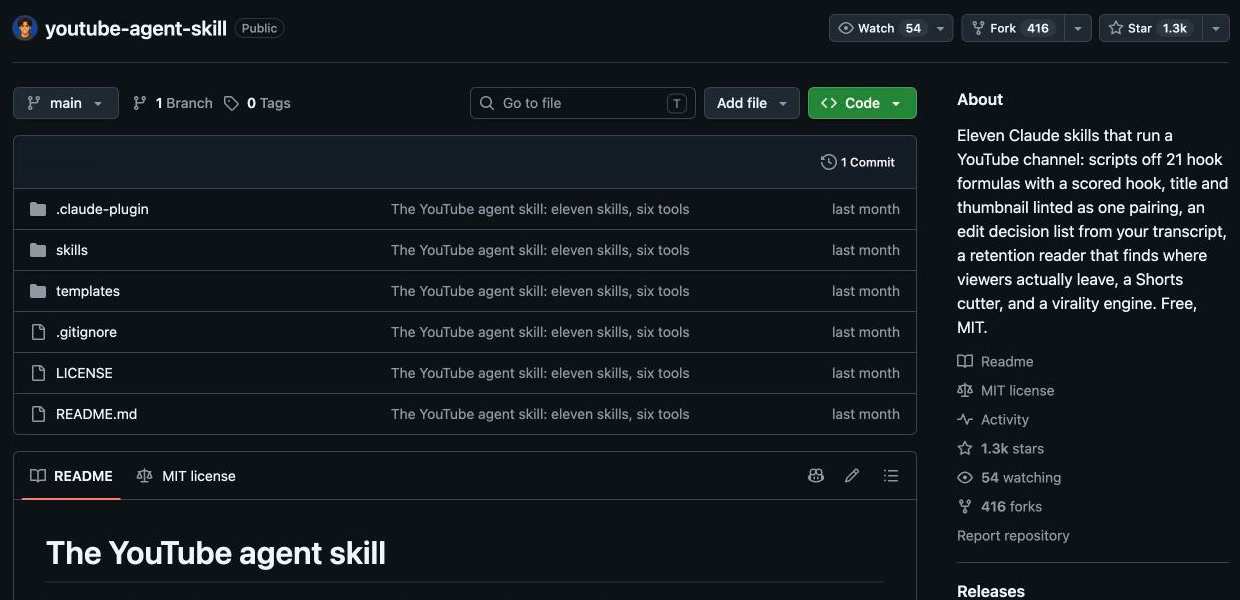
Unzip it. Inside the skills folder there are 11 folders. Compress each folder on its own (right click → Compress). One ZIP per skill: Claude looks for a SKILL.md inside every ZIP.
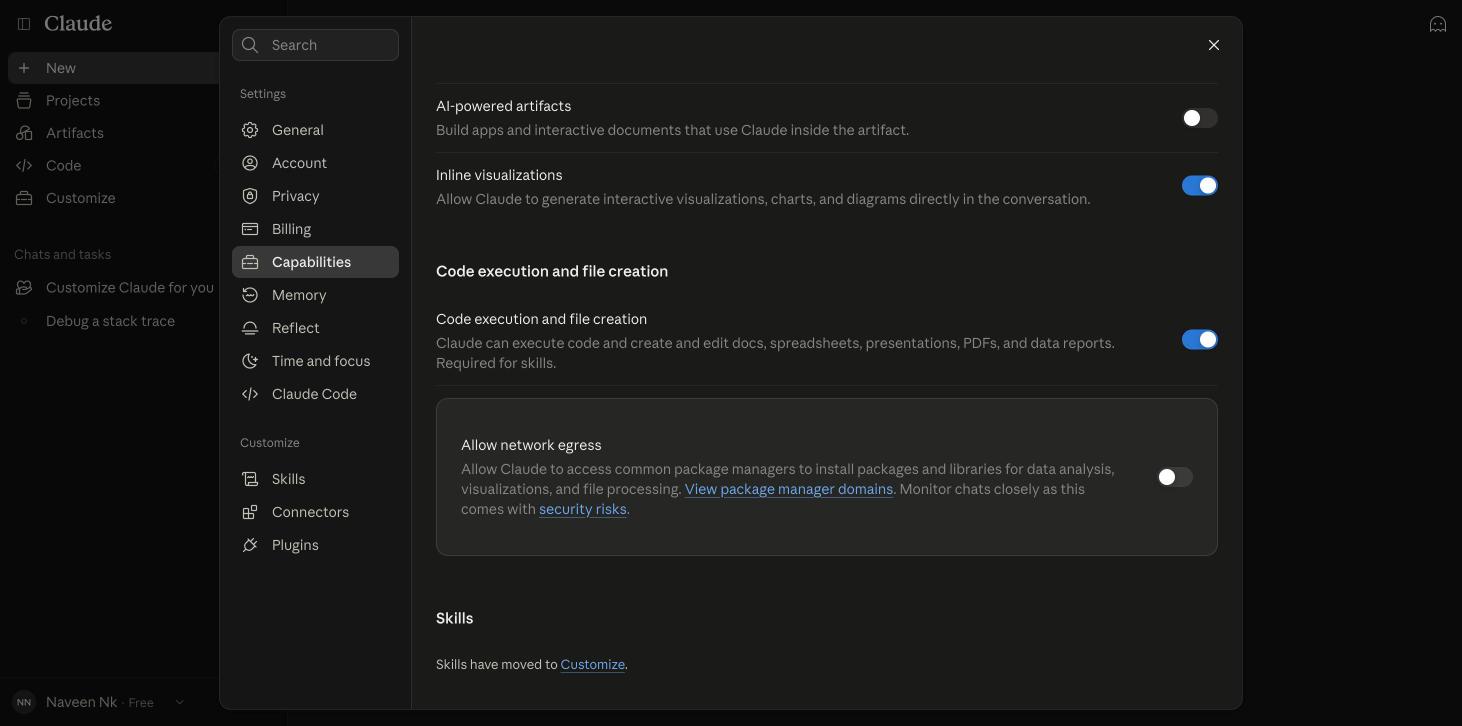
In Claude: Settings → Capabilities → turn on Code execution. Skills need it.
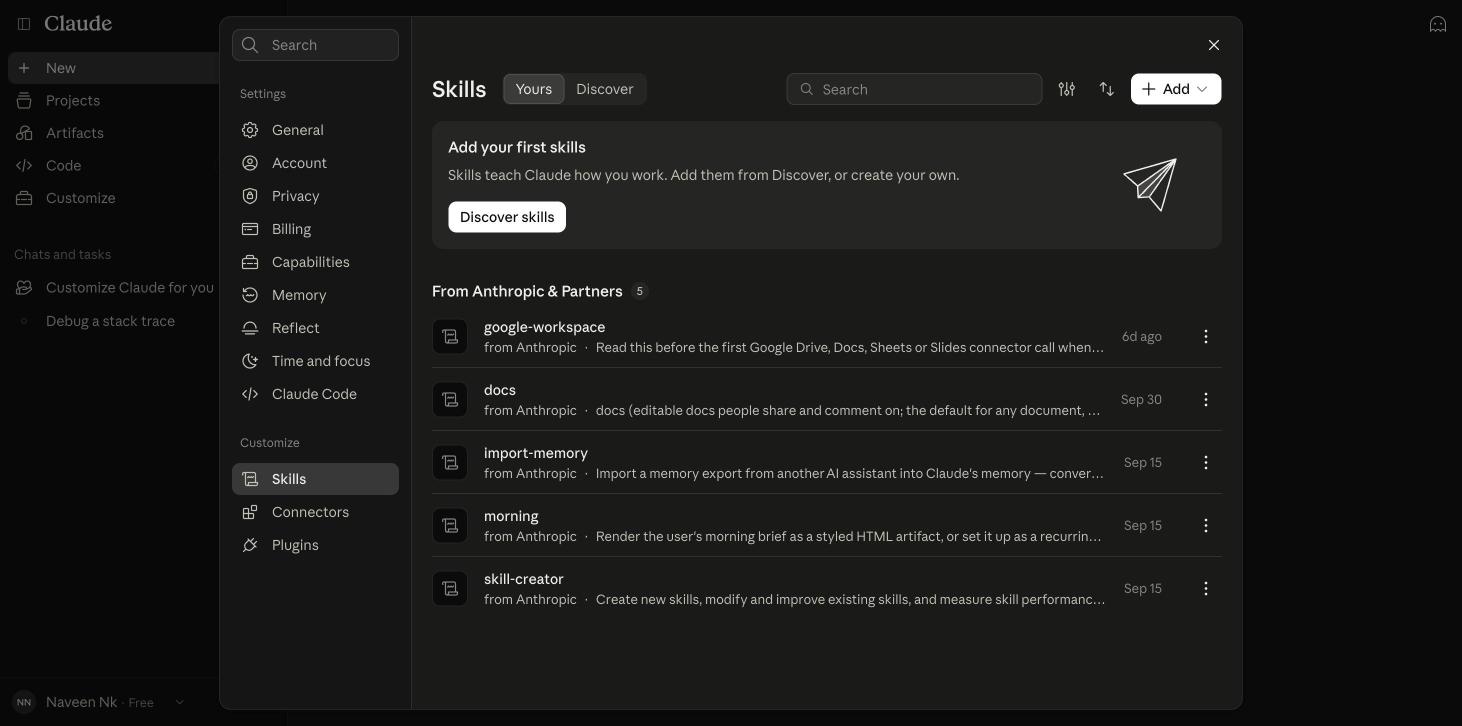
Customize → Skills → Add → Upload skill.
Select all 11 ZIPs at once. The page accepts several files together.
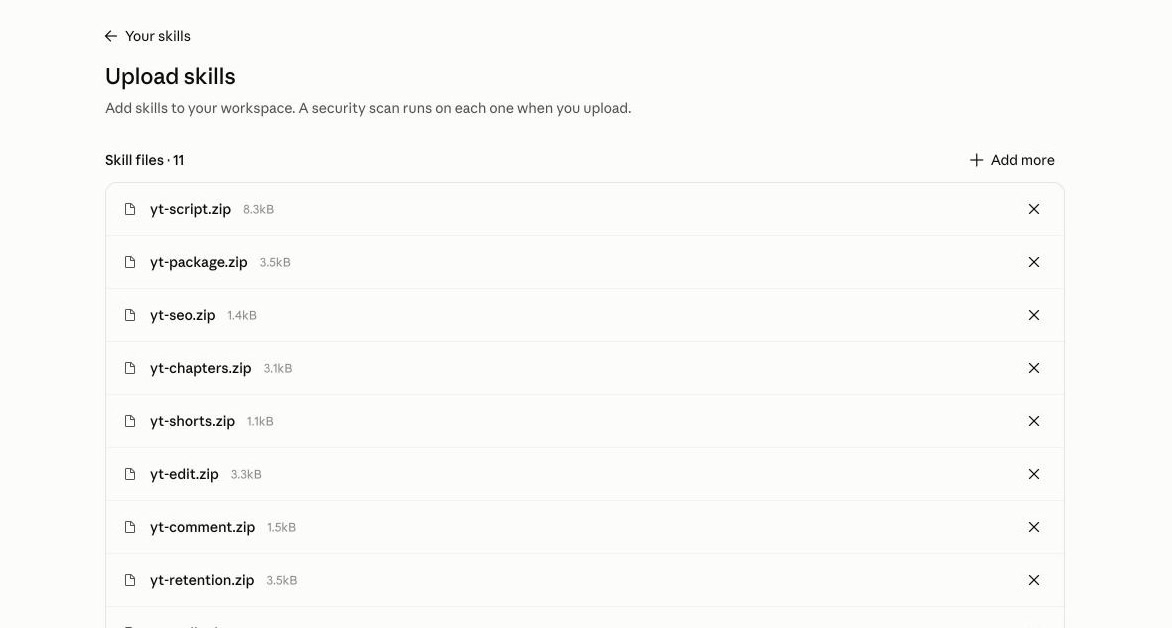
Click "Upload 11 skills". A security scan runs on each one and every row turns to Added.
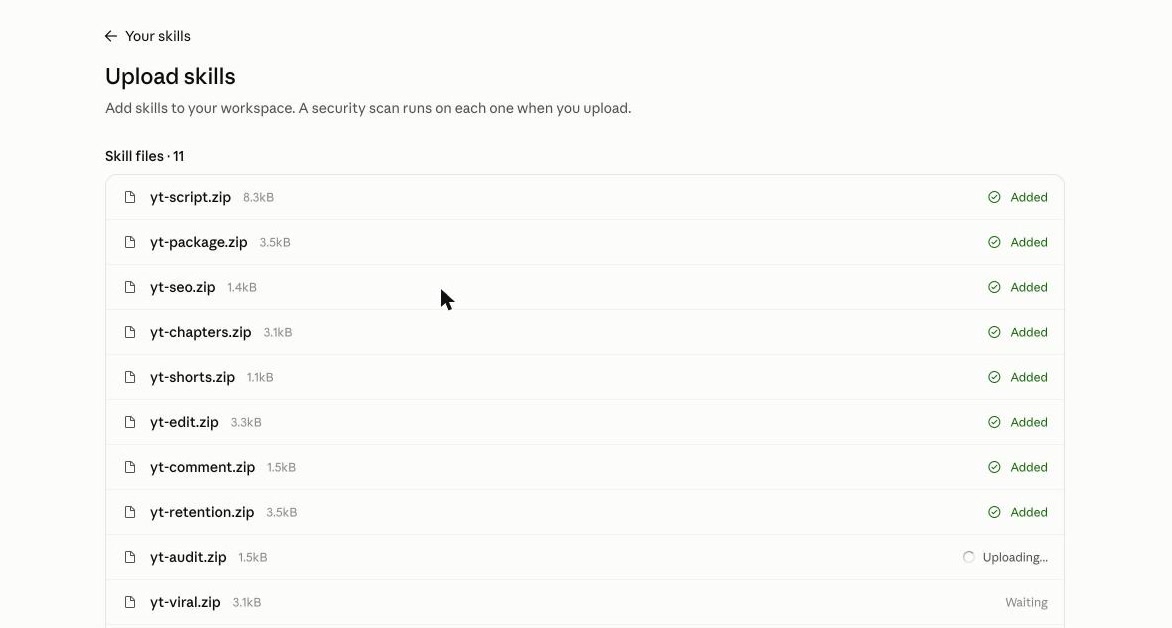
Done: all 11 show under Created by you, switched on.
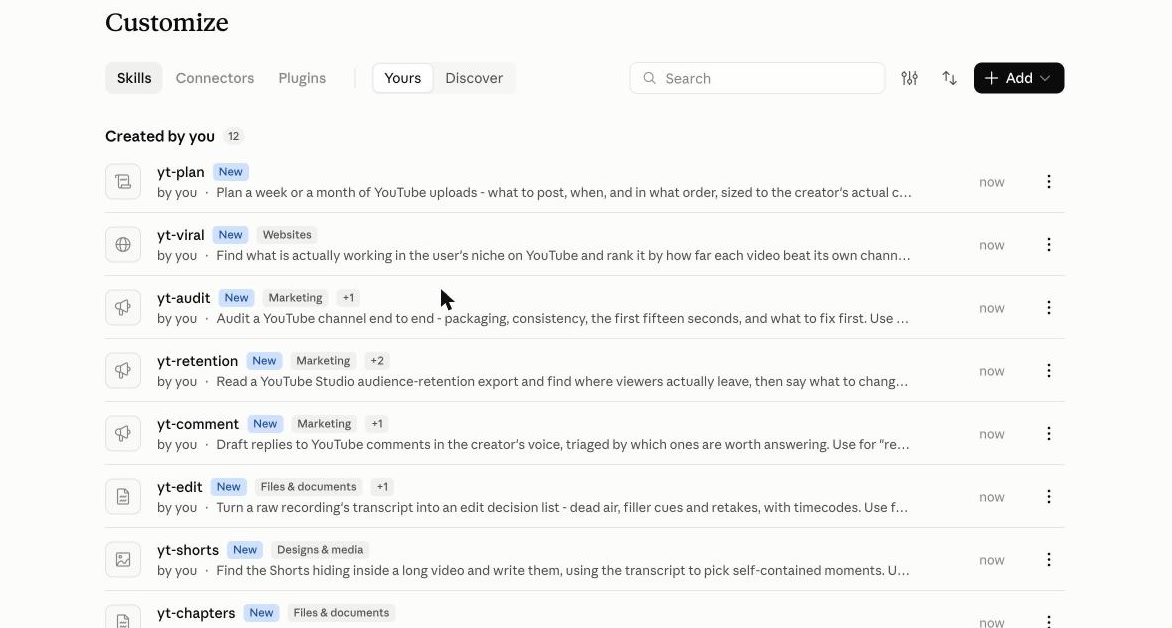
Install all 11 together. yt-viral and yt-audit use files from yt-script and yt-package; in our test Claude said the path broke and ran the file from its original folder.
Teach it your voice (do this once)
Every skill first looks for a voice file: who watches you, how you talk, which words you never use. On claude.ai that file does not exist, so each answer starts with "voice file nahi mili". The fix is a Project.
Projects → Create project. We named ours "Mera YouTube Channel".
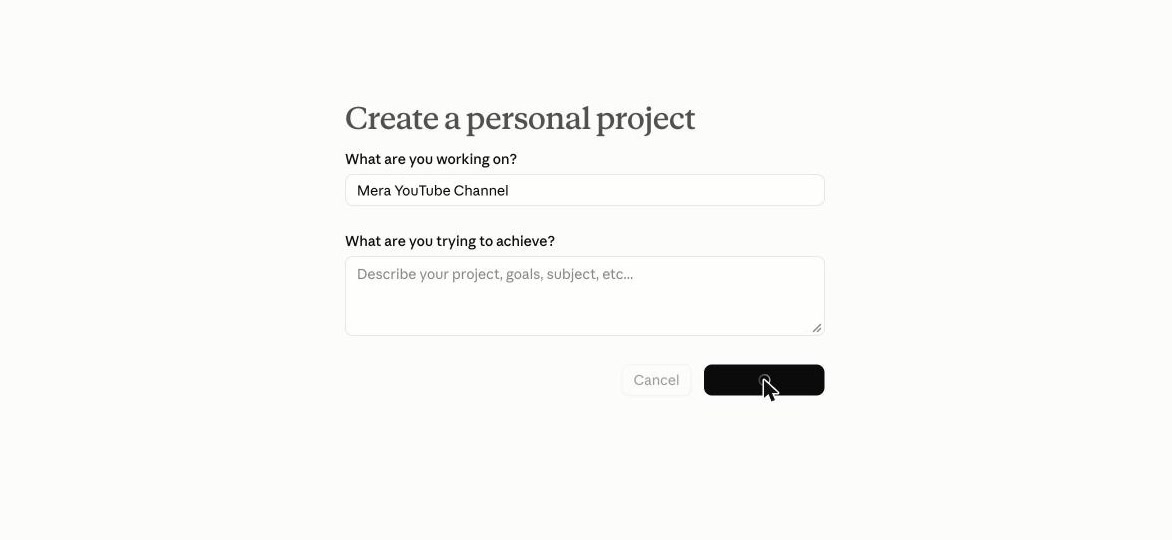
Context → Add files → upload a voice.md. The template is in the pack's templates folder; the pack suggests spending ten minutes on it.
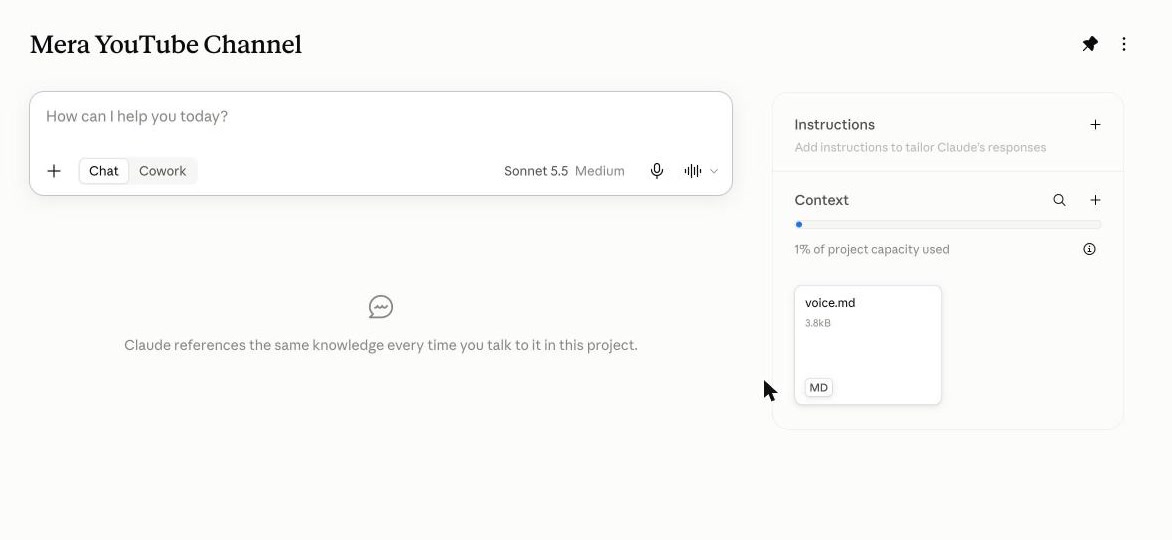
Chat inside this project. Without it our comment replies came back in English; inside it they came back in Hindi, in our tone, and the missing-voice warning was gone.
All 11 skills, in the order a video gets made
Just write in plain Hindi. You don't have to name the skill; Claude picks it. Inside a project you can also type / to choose one.
1. What to make: yt-viral
Hindi mein free AI tools wale YouTube niche mein abhi kya viral chal raha hai? Mujhe agla video chunna hai.
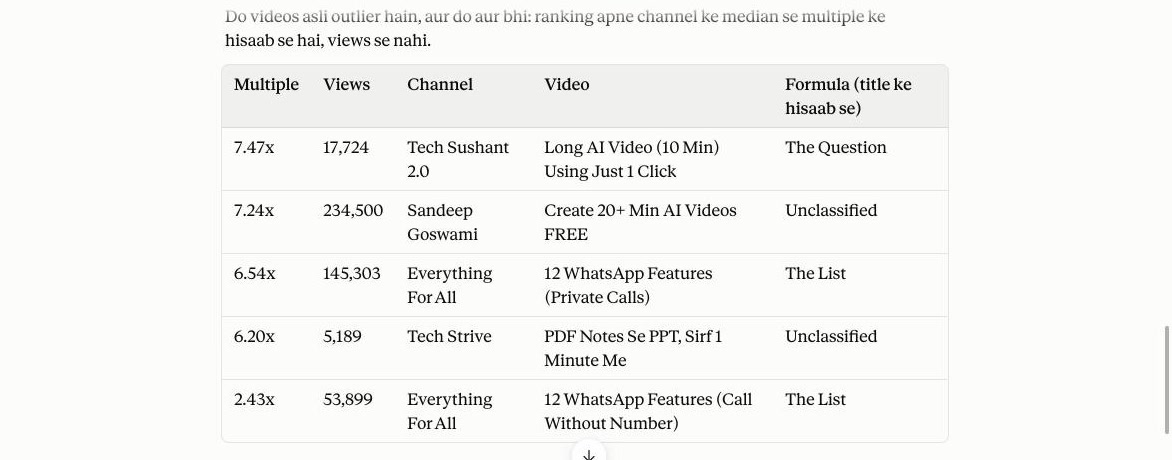
First answer, honestly: YouTube pages were blocked, so it had no view counts, only topic signals. Then we pasted 20 videos from 4 Hindi channels as plain lines (channel | title | views). It ranked each by how far it beat its own channel's median: a 10-minute AI video at 7.47x and a 20-minute one at 7.24x. Common thread: a number and a visible result in the title.
2. The week: yt-plan
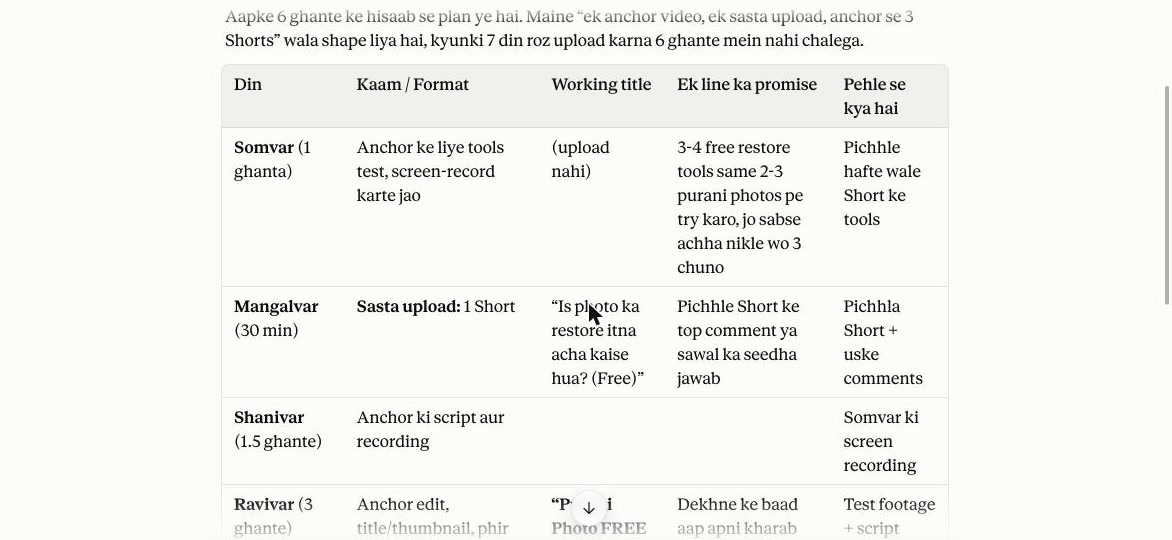
Mera agle hafte ka YouTube plan banao. Main job karta hoon, hafte mein sirf 6 ghante milte hain. Channel: Hindi mein free AI tools. Pichhle hafte sabse zyada photo restore wale Short chale.
It did not say upload daily. One anchor video, one cheap Short and three Shorts cut from the anchor, adding up to exactly 6 hours, plus what to drop first if the week goes wrong.
3. Script: yt-script
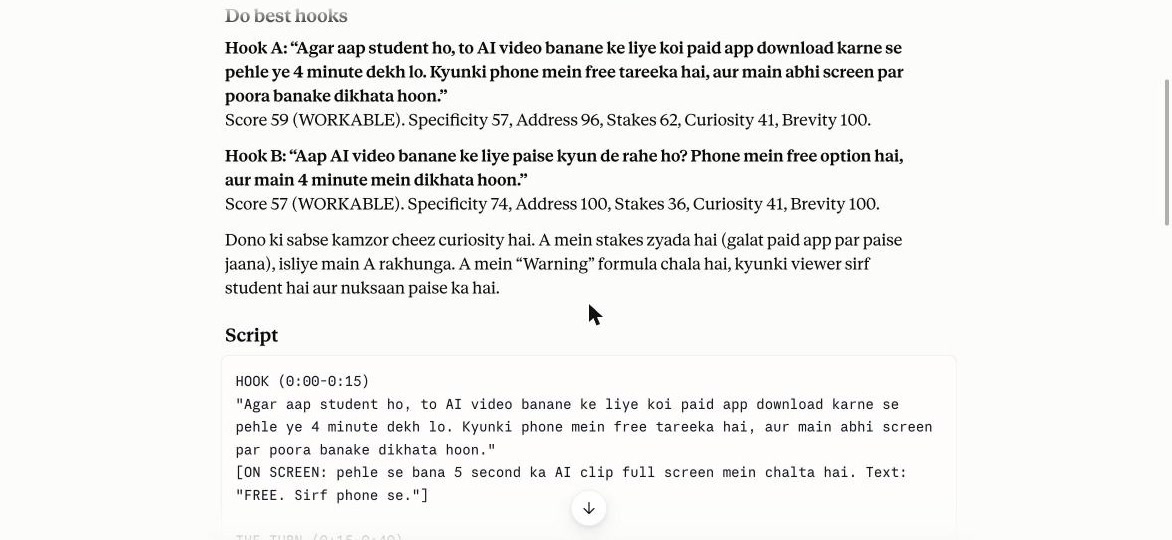
Mujhe YouTube video ka script chahiye. Topic: phone se free mein AI video kaise banaye. Audience: Hindi bolne wale students. Video 4 minute ka.
Two hooks with scores (59 and 57, "workable") and a full 4-minute script with what to show on screen for every beat. It also warned that its hook scorer reads English, so scores for Hindi lines are only a hint, and that it had not tested the app it suggested.
4. Title and thumbnail: yt-package
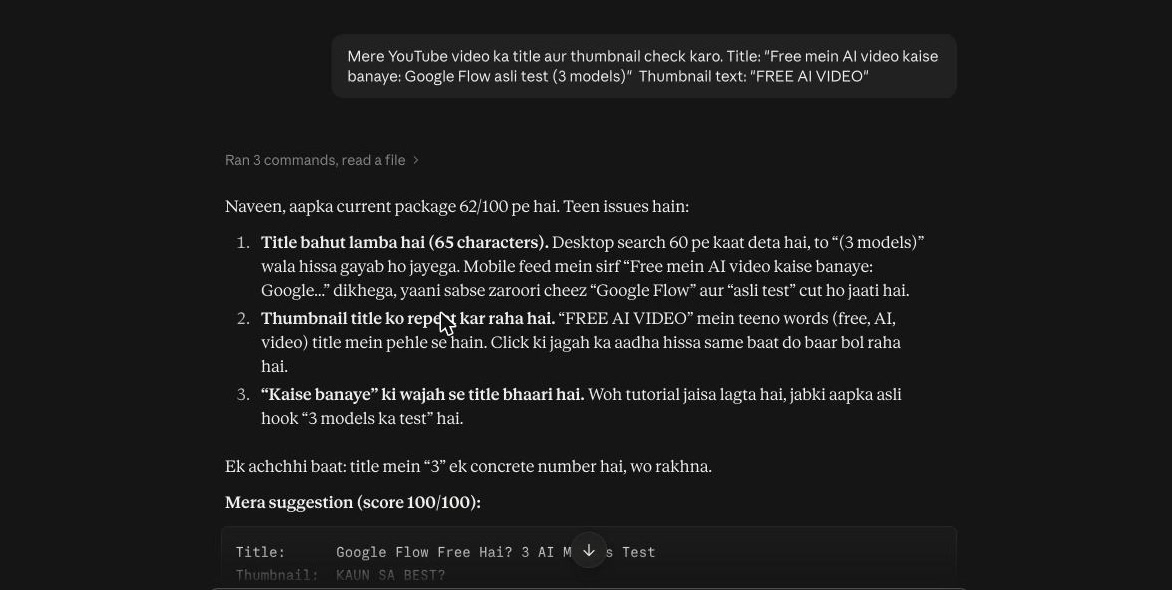
Mere YouTube video ka title aur thumbnail check karo. Title: "Free mein AI video kaise banaye: Google Flow asli test (3 models)" Thumbnail text: "FREE AI VIDEO"
62/100: the title was 65 characters, so mobile cut off "Google Flow", and the thumbnail repeated the title's words. Its fix, "Google Flow Free Hai? 3 AI Models Test" with "KAUN SA BEST?" on the thumbnail, scored 100.
5. Edit: yt-edit
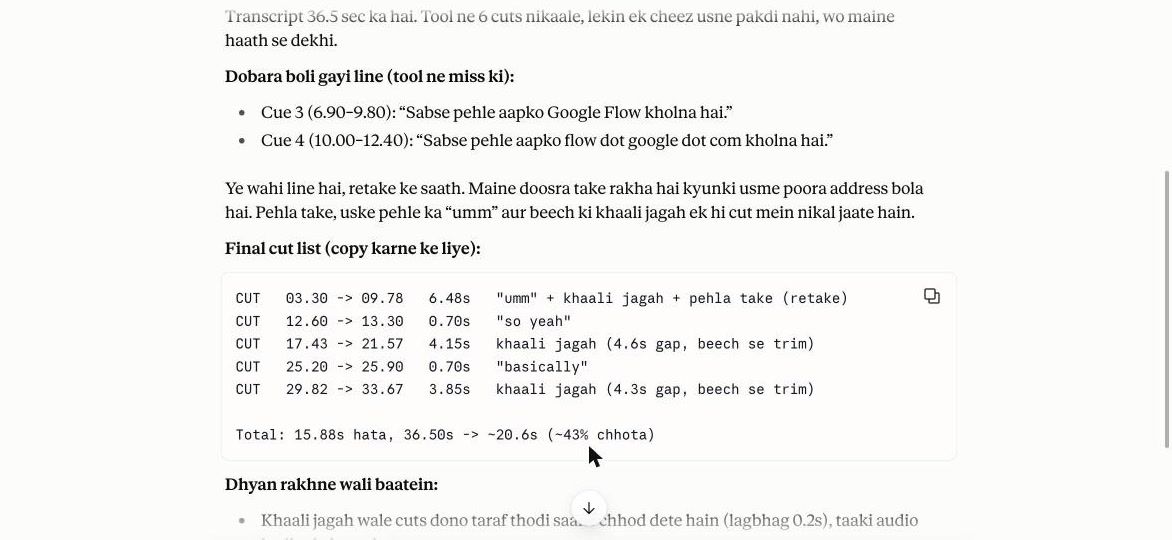
Ye meri raw recording ka transcript hai. Batao kya kya kaatna hai: khaali jagah, umm, aur jo line dobara boli.
For people who talk on camera. Our channel uses an AI voice, so we wrote a sample transcript with pauses, fillers and one retake. The tool found the gaps and fillers; Claude caught the retake the tool missed and kept the better take. 36.5 s down to about 21 s.
6. Upload: yt-seo and yt-chapters
Mere YouTube video ka description aur tags likho. Title: "...". Video mein kya hai: ... Language Hindi.
Three real search phrases in the first two lines, a copy-ready description and only 15 tags. For chapters, attach your transcript (an .srt file) and ask for chapters: we got 10 named chapters that pass YouTube's three rules.
Ye meri video ka transcript hai (SRT file). Iske chapters bana do, description mein paste karne layak.
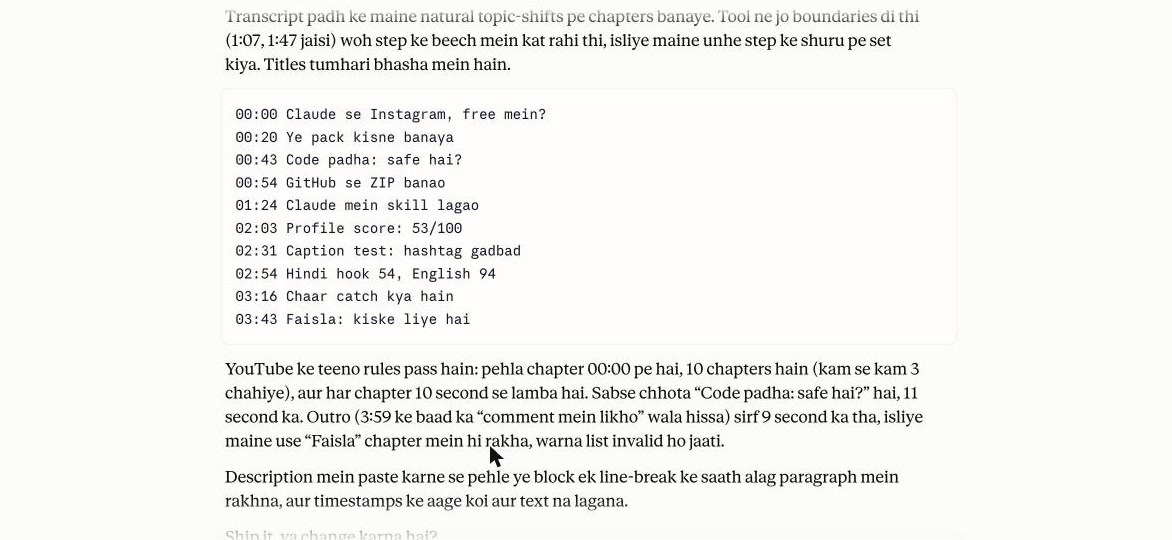
Correction: in our earlier video we said chapter names come out useless. That was from running only the skill's script. The full skill, with Claude, names them well.
7. Shorts: yt-shorts
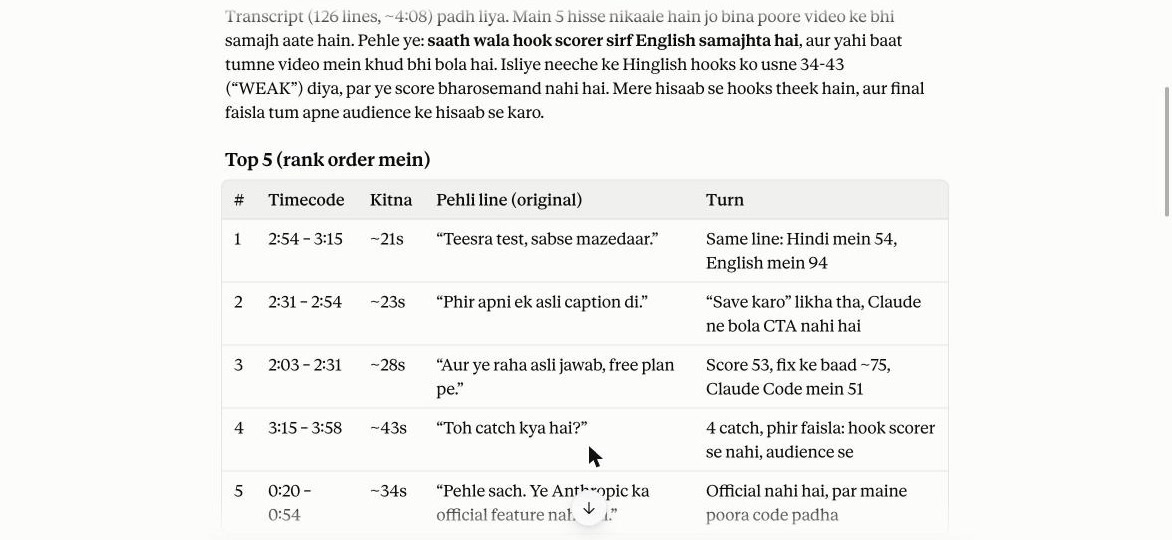
Is video ke transcript mein se Shorts nikaal do. Kaunse hisse alag se Short ban sakte hain?
Five self-contained clips with timecodes, a new first line, on-screen text and a loop point for each. It left out the setup steps because they had no turn.
8. Comments: yt-comment
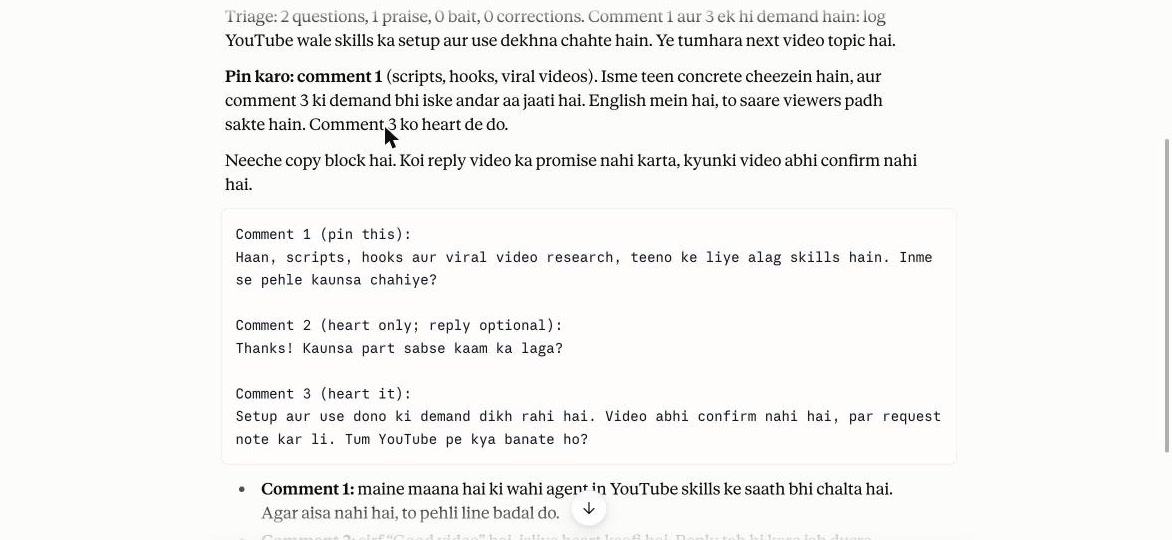
Paste your comments and ask for replies and which one to pin. It sorted ours (2 questions, 1 praise), picked the pin, and noticed both questions asked for the same video. That is the video above.
9. Retention: yt-retention
In YouTube Studio open a video → Analytics → Engagement → download the audience-retention data and attach the file. It reports the hook leak (first 30 seconds), sudden cliffs and the slow slide. Our channel is too new for useful retention data, so we have not shown a result.
10. Channel audit: yt-audit
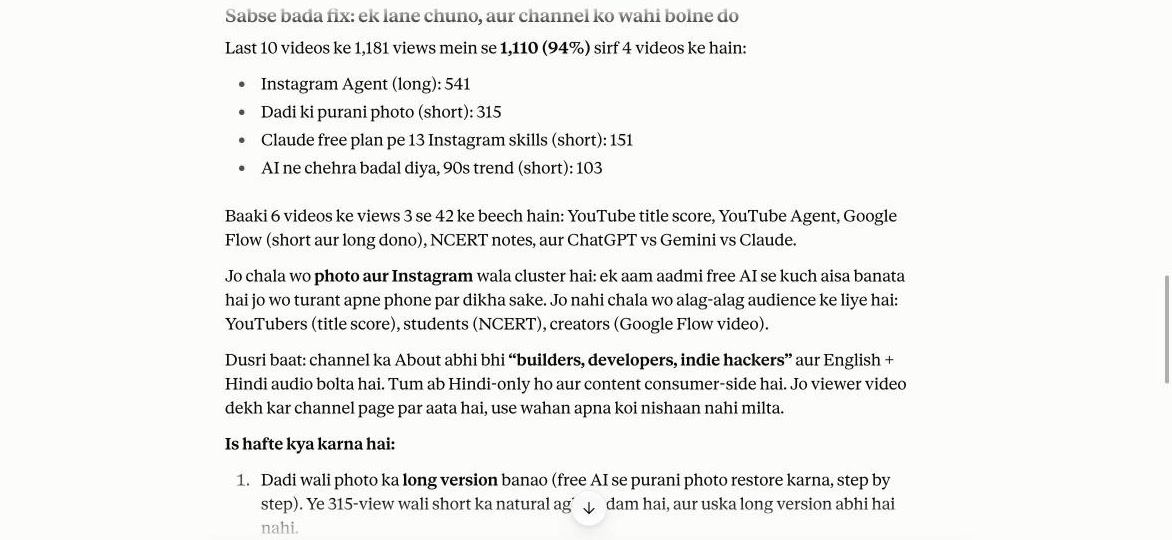
Given only our channel link, free Claude could read the About page but not the video list (YouTube blocked it), and it asked for data instead of guessing. After we pasted our last 10 titles with views, it found 94% of views came from 4 videos, all photo and Instagram topics, and said to pick that lane. It also caught that our About page was out of date.
Using Claude Code instead
/plugin marketplace add Jakeschincariol/youtube-agent-skill
/plugin install youtube-agent
Then put your voice file at ~/.claude/youtube/voice.md once and every skill reads it.
The catch
| Catch | What it means |
|---|---|
| Community pack | Not made by Anthropic. |
| It only writes | Uploading, posting and replying are on you. |
| No YouTube data on free claude.ai | It cannot read video lists or views; paste titles and views yourself. |
| Hook scorer is English | Scores for Hindi lines are only a hint. |
| Free plan limits | Usage limits apply, and upgrade pop-ups appear. |