How to Stop ChatGPT Using Your Chats for Training (Free Plan, Step by Step)
Free ChatGPT has a setting that is on by default and lets your chats be used to train the model. It takes 30 seconds to switch off.
Turn off "Improve the model for everyone"
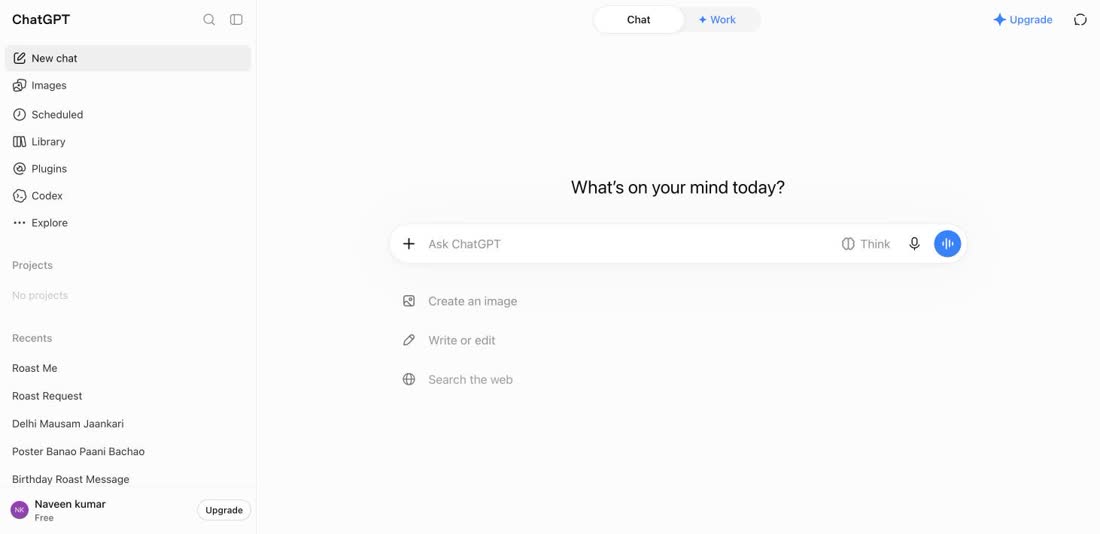
Open ChatGPT and click your name at the bottom left.
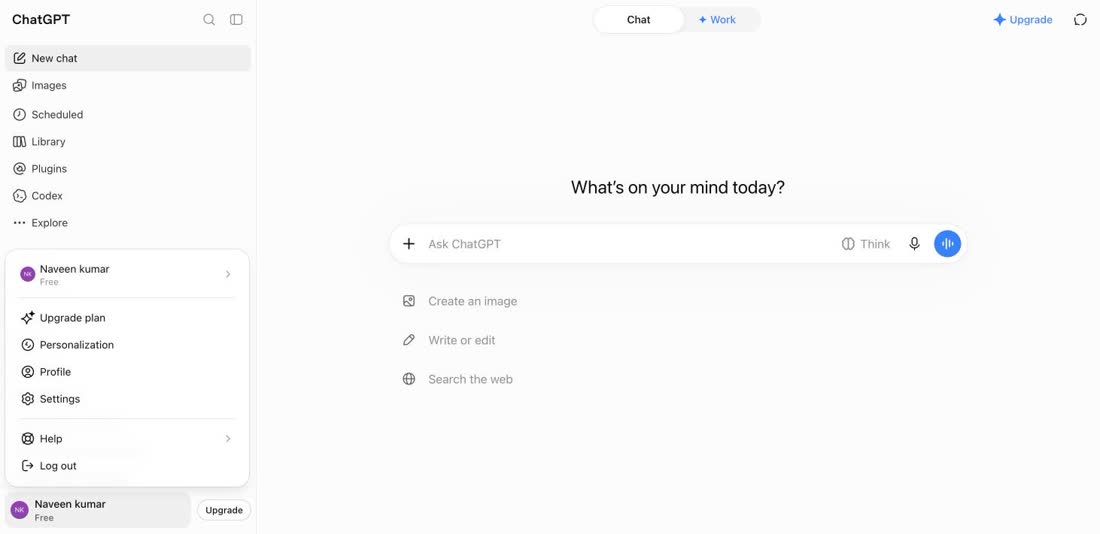
In the menu, click Settings.
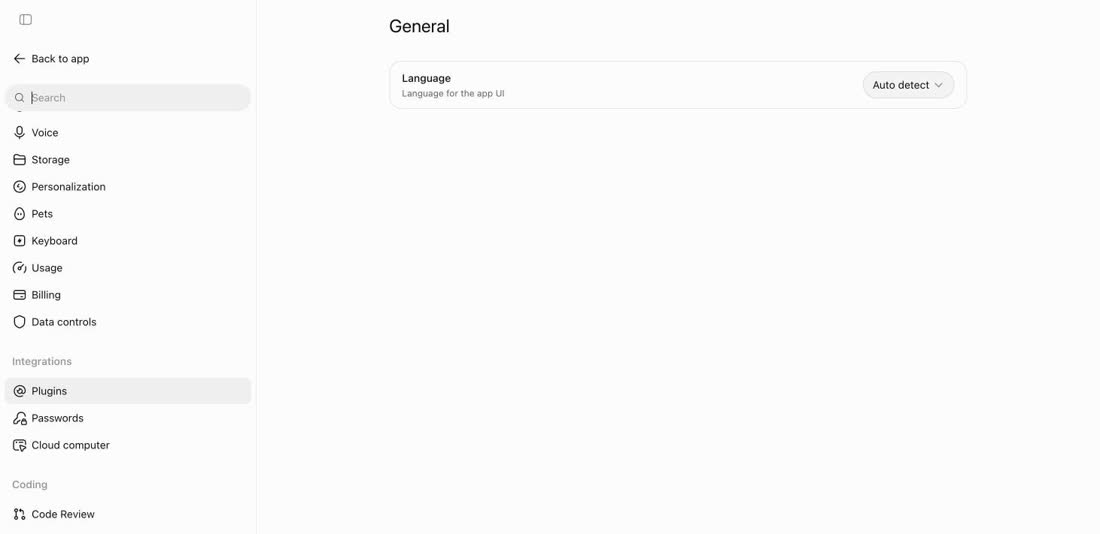
In the left panel, scroll down and open Data controls.
Find "Improve the model for everyone". ChatGPT describes it as: control whether your chats are used for model training. It is on by default.
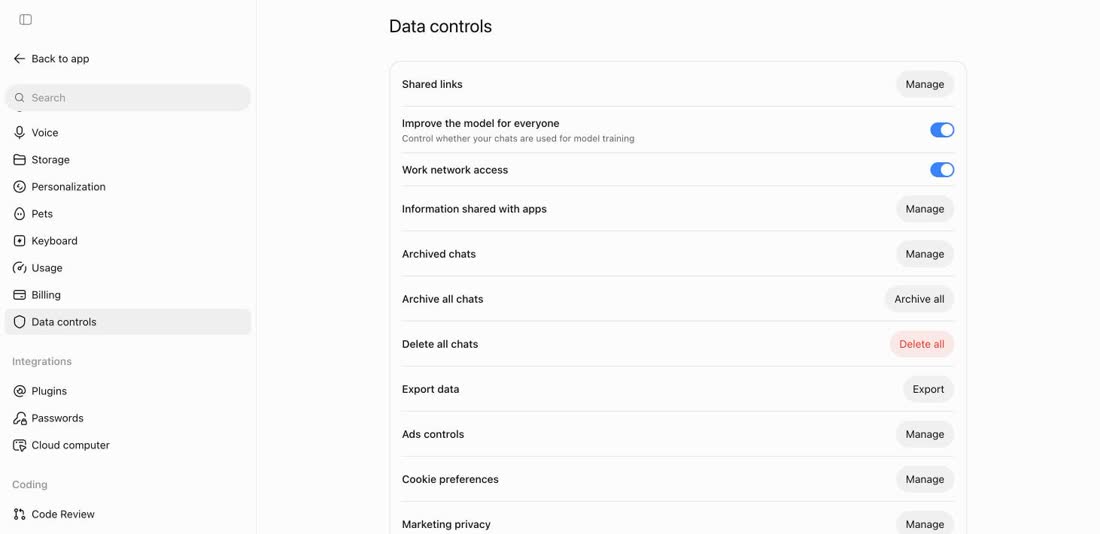
Switch it off. That's it.
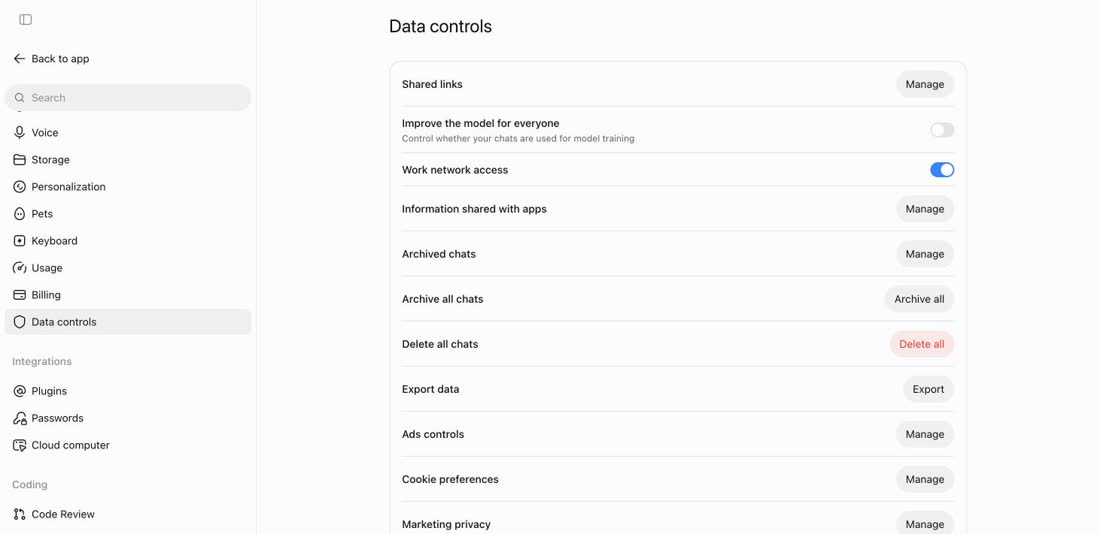
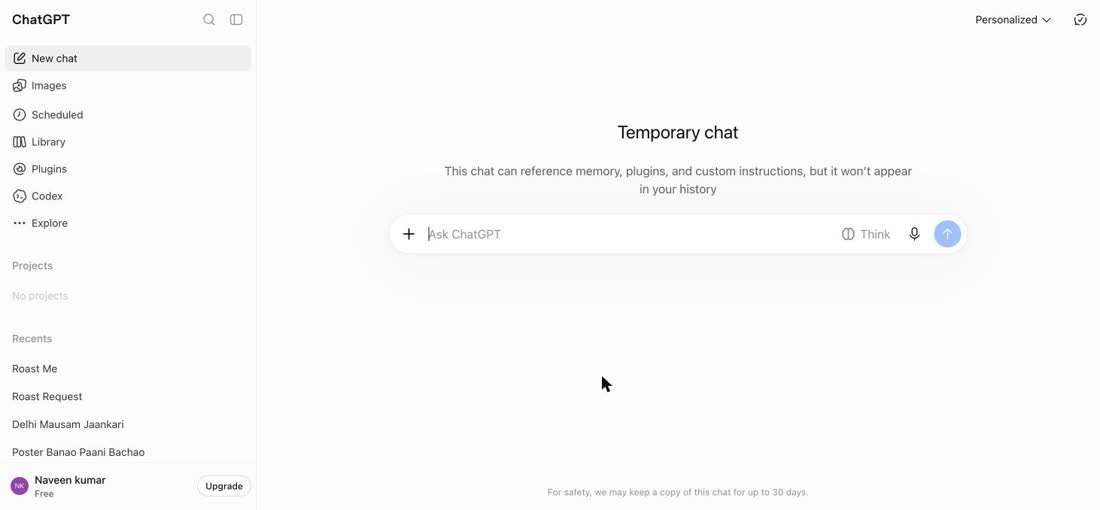
Bonus: Temporary chat for personal questions
Click the Temporary chat button at the top right. ChatGPT says this chat won't appear in your history, and that for safety it may keep a copy for up to 30 days.
Whatever the setting: never paste your Aadhaar number, bank details or passwords into any AI.
Screens are from ChatGPT's free plan in a desktop browser, 12 October 2026. Menus move around; the setting name is the thing to look for.